
Features
Everything between a pile of resumes and a ranked shortlist.
Propel isn't an applicant tracking system and it isn't a keyword filter. It reads each resume against the criteria you care about and shows you how it rated on every one.
01 · Positions
Start from the job description you already have.
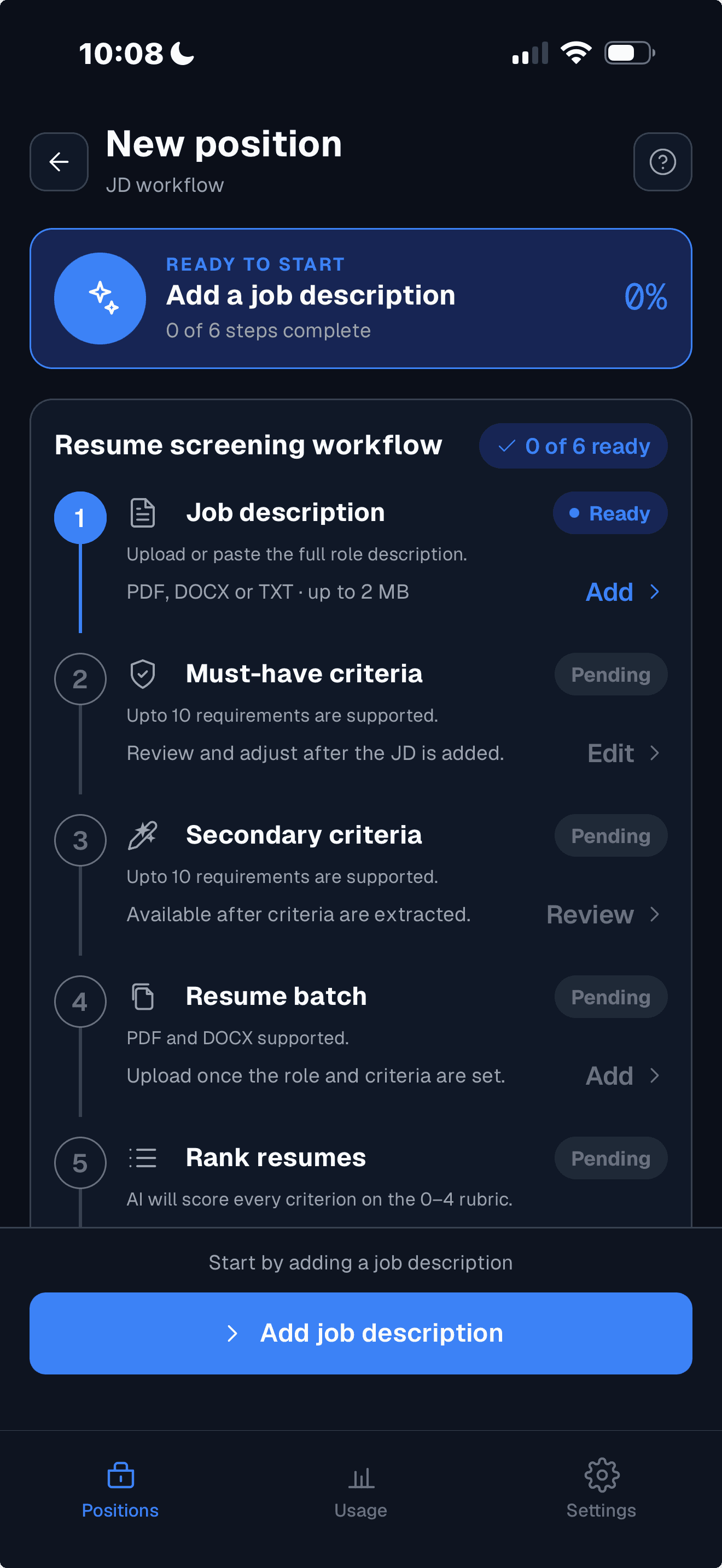
Create a position by uploading the job description or pasting it in. Propel keeps the title and a short description so your list of positions stays easy to scan.
- Upload a PDF, DOCX or text file, or paste the text
- One position per role, each with its own criteria, resumes and results
- A clear status on every position: needs setup, needs resumes, needs scoring, scoring in progress, or scoring complete
- Sort positions by recency or by title, and delete one when you're done with it
02 · Criteria
AI drafts the criteria. You have the final say.
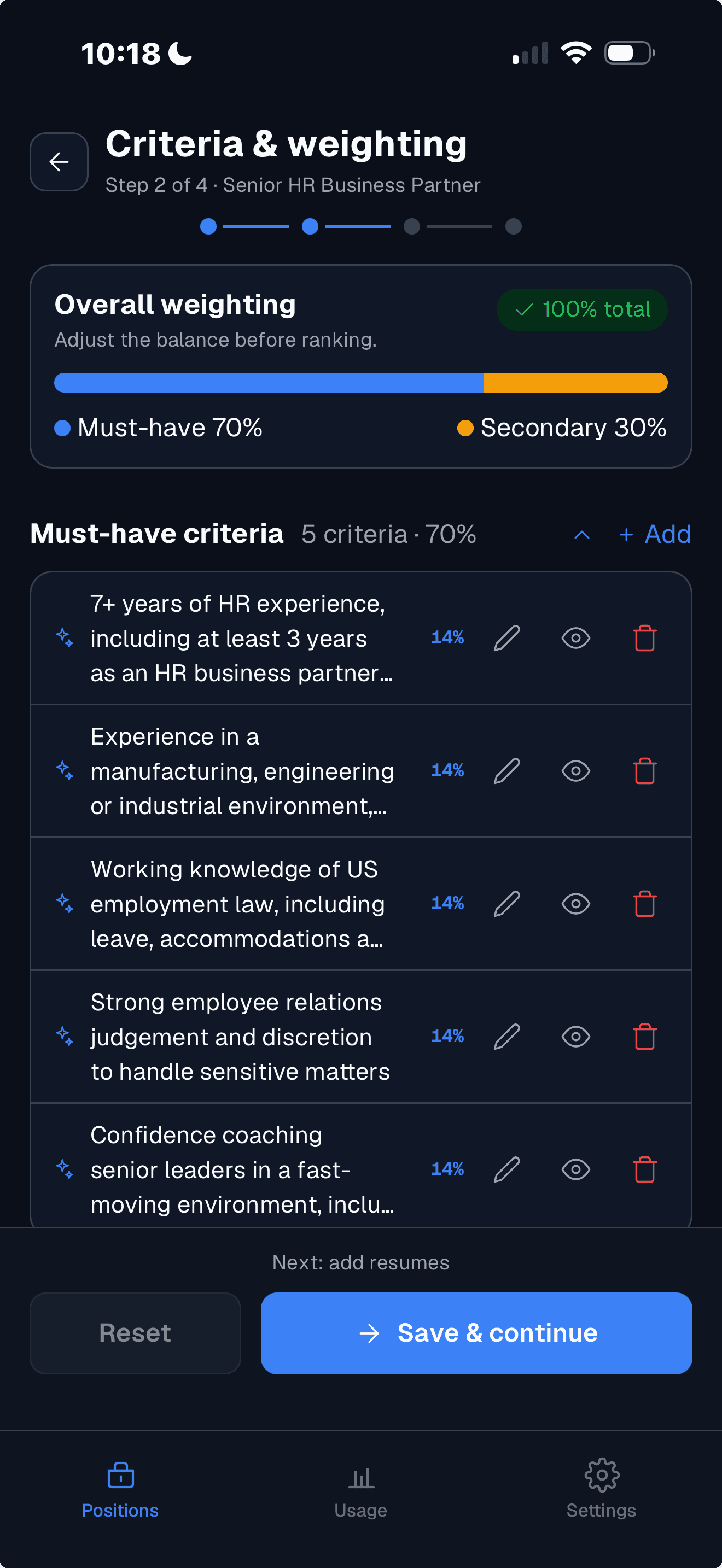
Propel reads the job description and proposes must-have and secondary criteria in plain language. Nothing is locked: change anything, in your own words.
- Up to 10 must-have and 10 secondary criteria per position
- Free-form text: skills with years of experience, education, achievements, and any of them chained together with and/or
- Edit, delete or add criteria, and see which ones came from the AI and which from you
- Mute a criterion to leave it out of the scoring without losing it
- Prefer to write your own? Turn off auto-generated criteria in your settings
03 · Scoring
A score you can read, not a number you have to trust.
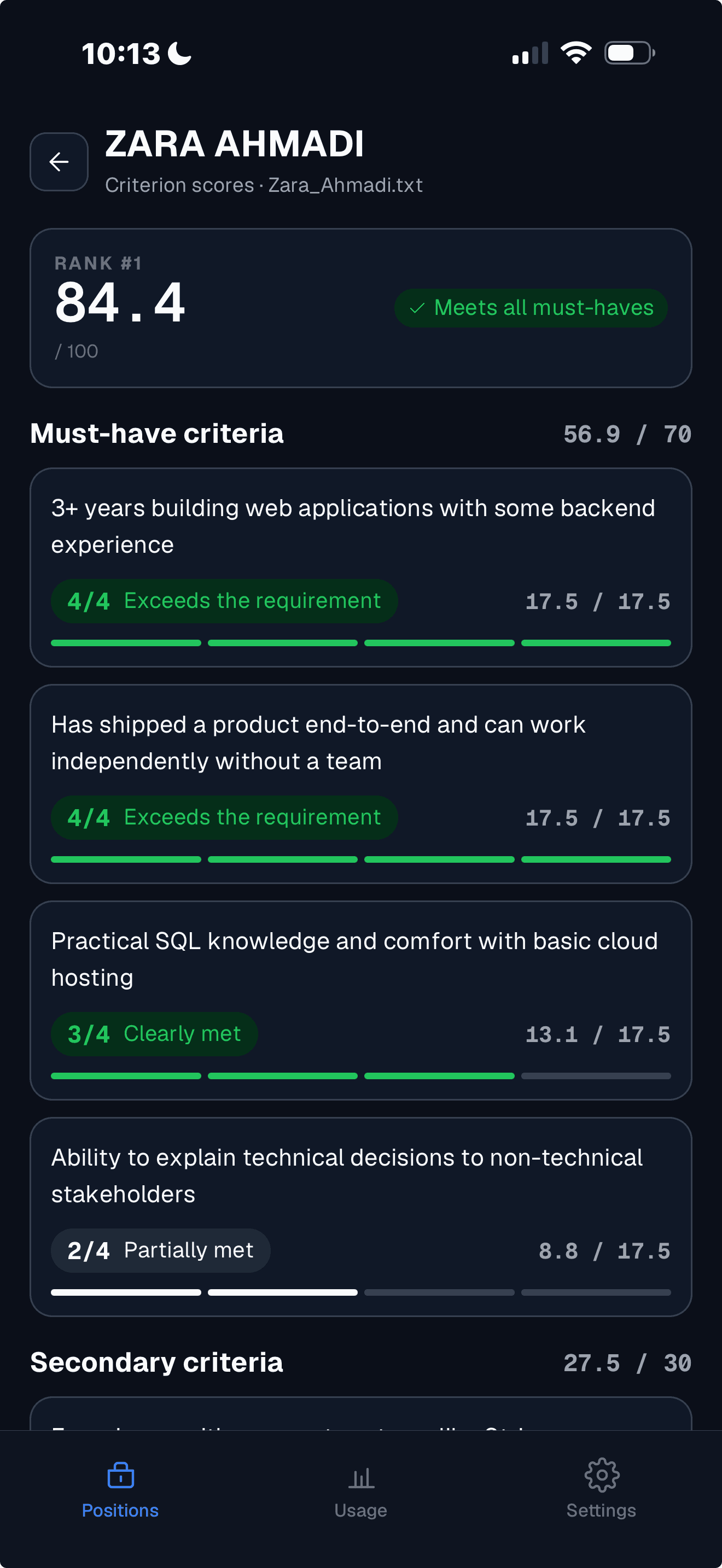
Every resume is rated against every criterion on a 0 to 4 rubric. The total is a weighted sum of those ratings, so you can see exactly which criteria put a candidate where they are.
- Reads for meaning, not keywords: a resume doesn't need your wording to meet a criterion
- 0 not evidenced, 1 weak or tangential, 2 partially met, 3 clearly met, 4 exceeds the requirement
- Must-have criteria carry 70 points by default and secondary criteria 30. You can change the split
- Mute a criterion or a resume and the ranking updates immediately
- Change a criterion or add a resume, and only the new work is scored again
04 · Results
The shortlist, ranked, and the way you want to see it.
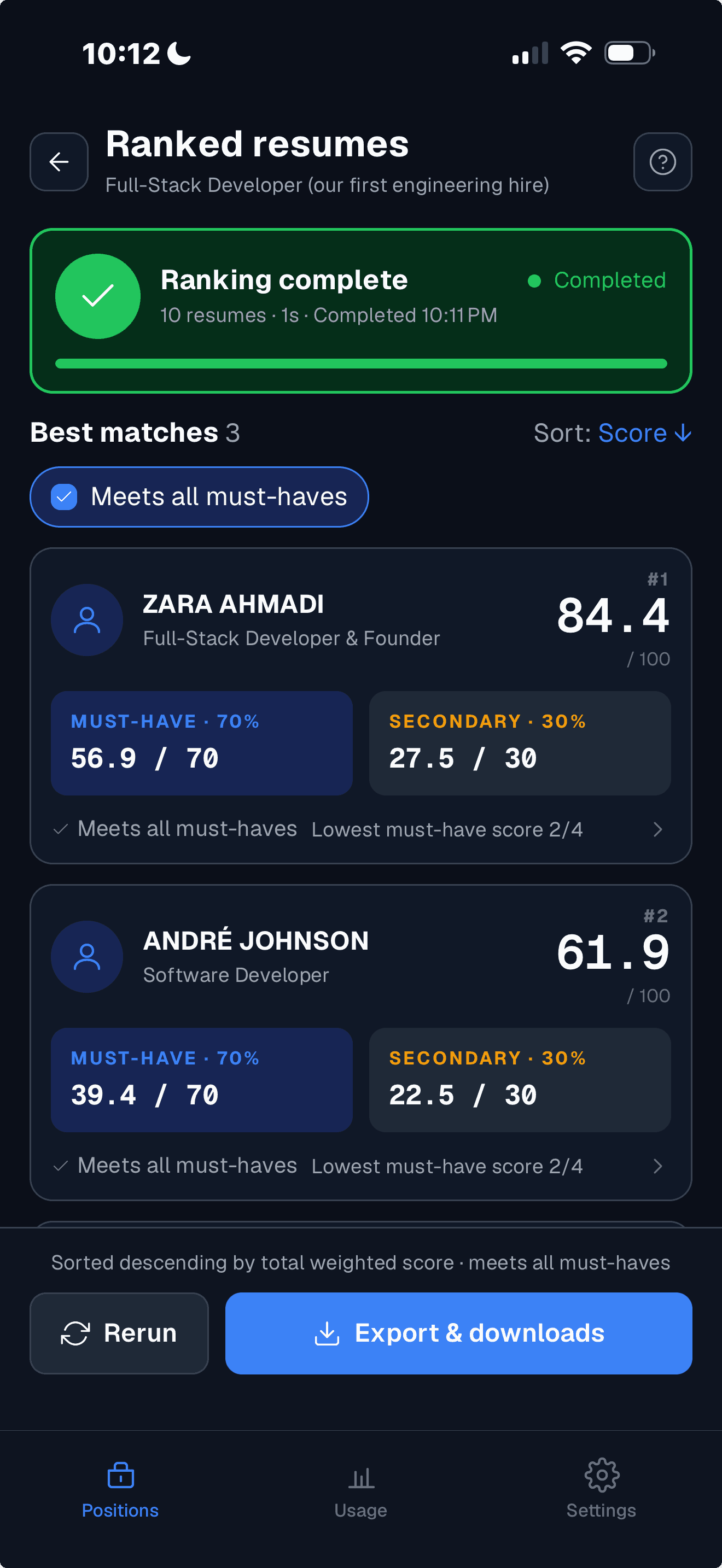
Once scoring completes, resumes are listed best first with their scores. Sort, filter and mute to get to the people worth a call.
- Sort by score or alphabetically by resume title
- Switch on the must-have filter to see only candidates who meet every must-have
- Mute candidates who've lost interest or aren't suitable, without deleting them
- Add or remove resumes later and rank again. Scores you already have are kept
05 · Bulk upload and export
In from your phone, out as documents you can share.
Add resumes in batches and download the outcome when you're done.
- Upload PDF, DOCX or text resumes, up to 100 per position and 30 at a time, from your phone, iCloud Drive, Google Drive or Dropbox
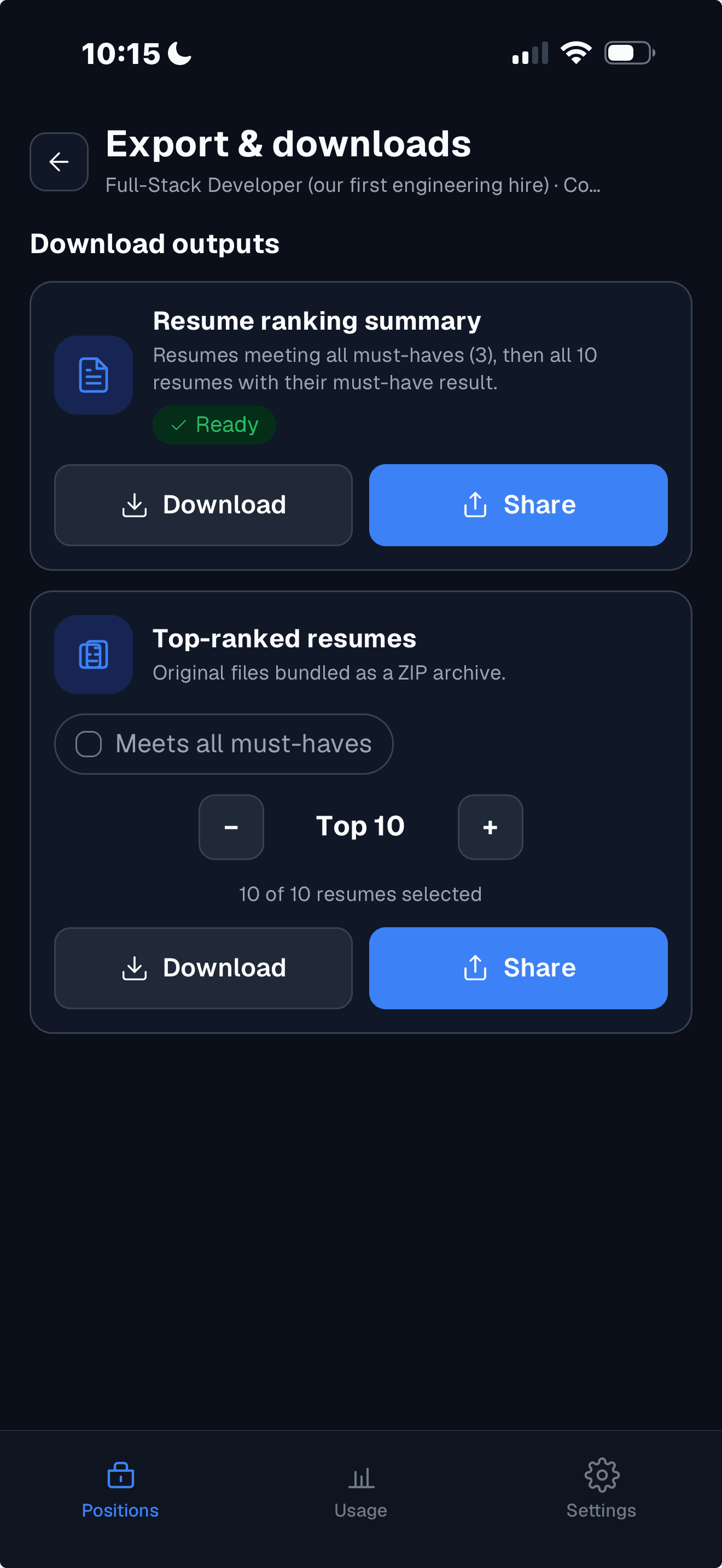
- A summary document of the ranking: the JD, the criteria and weights, and tables of candidates and scores
- A ZIP of the original resumes of your top N candidates, optionally only those who meet all must-haves
The Word document the app produces for a ranking, from a real run on ten fictional candidates for a Full-Stack Developer role.
And the rest
The details that make it easy to start and safe to keep.
The parts you don't notice until you need them.
Fast
Resumes are scored in parallel, so about 30 resumes take around 90 seconds from the moment you tap Rank.
Pay per use
Screening a resume of up to two pages costs one credit, and only resumes that scored successfully are charged. Sign-up goes through a paywall: buy credits, pick a plan or take the free trial.
Try it free
Screen one position before you pay: up to 2 must-have and 2 secondary criteria and 10 resumes. Downloads aren't part of the trial.
Three themes
Midnight, Clean and Warm. Pick the one that suits you in settings.
Your candidates' data, protected
A published privacy policy and data processing addendum. Your uploads aren't used to train AI models, by Propel or its AI providers.
Delete anytime
Remove a resume, a position or your whole account in the app. Candidate details in past scoring records are erased.
See it end to end in the app.
Join early access and try one position free when the app launches. No contract, no sales call.
Launching soon on iPhone and Android. We'll tell you when it's live.